
Increase Grasp at the Altar of Ashes
On this page
Increase your Arcana capacity at the Altar of Ashes in Hades II. Start at the Crossroads with Psyche to spend. Grasp is a budget for active cards: their combined costs must fit within your limit. Grasp and Psyche
Buy the capacity upgrade
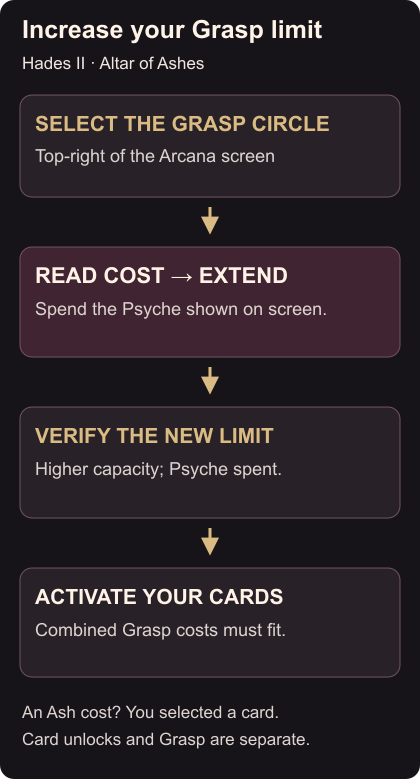
- Interact with the Altar of Ashes to open the Arcana screen.
- Move your selection to the Grasp circle at the top-right, away from the cards.
- Read the Psyche cost for the next upgrade and compare it with what you have.
- If you can afford it, choose Extend once. Check that your Grasp limit increased and your Psyche total decreased. Finding and extending Grasp
Use the price displayed on your screen. If you cannot afford the upgrade, leave it for later and choose cards that fit your present allowance.
Put the extra capacity to use
Return to the cards and activate the unlocked ones you want. Adding their Grasp costs gives the total your selection needs. If the combination still exceeds your limit, deactivate another card before adding the new one. Activating Arcana cards
An Ash cost means you have selected a card unlock, not the Grasp upgrade. Unlocking a card and increasing capacity are separate purchases; a locked card still needs its own required materials. Move back to the Grasp circle if capacity is what you meant to buy. Card unlocks and capacity
Before leaving, check the higher limit and your active card selection. Then equip a Keepsake for the run. On PS5, the 120 Hz output setup covers the display settings.