
Verify GTA V Enhanced Files in Rockstar or Epic Launcher
On this page
If GTA V Enhanced has a file-related launch problem, run your launcher’s verification check before reinstalling the game. Select Grand Theft Auto V Enhanced so you check the intended PC installation.
Use the launcher that owns the installation
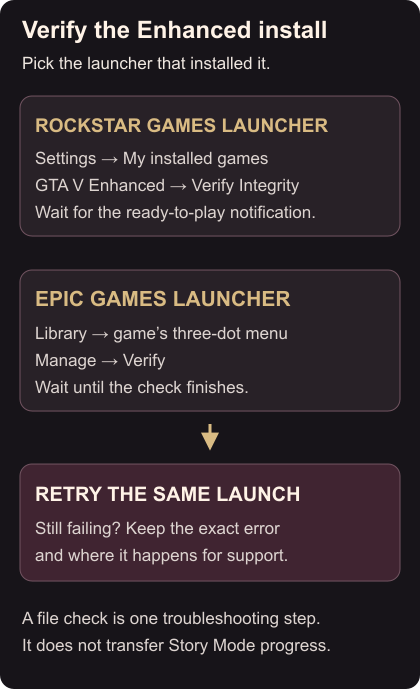
For Rockstar Games Launcher:
- Sign in and open Settings.
- Under My installed games, select GTA V Enhanced.
- Find Verify game file integrity and choose Verify Integrity.
- Wait for the notification above the system tray saying verification has completed and the game is ready. Rockstar Launcher instructions
For Epic Games Launcher:
- Open Library and find GTA V Enhanced.
- Open the game’s three-dot menu, choose Manage, then Verify.
- Wait for verification to finish. Epic compares the installed files and repairs differences; this check does not affect saved data. Epic verification instructions
Retry the same launch
Once verification finishes, launch Enhanced again and repeat the action that failed. A completed file check confirms that the launcher finished its inspection; it does not guarantee that every crash or loading problem is fixed.
If the same problem returns, keep the exact error message and the point where it occurs for your support request. Avoid repeating the check without a new reason. If Enhanced is absent from the launcher’s installed list, first confirm which launcher installed it and whether that installation has finished.
A PC below the Enhanced requirements needs a separate compatibility check. Missing story progress needs the Story save import, rather than another file check.