
Salvage a Spare Weapon for Runes
On this page
Turn an unwanted weapon into Runes from your inventory. Salvage consumes the selected weapon, so begin with a spare you have already decided to give up.
Choose what you can lose
Compare the spare with your equipped weapon and any backup you still use. If you are sorting several similar items, put the ones you want to keep in a storage chest first. A low durability bar alone is no reason to discard a useful weapon: you can repair it at a Workbench.
Read the Salvage option
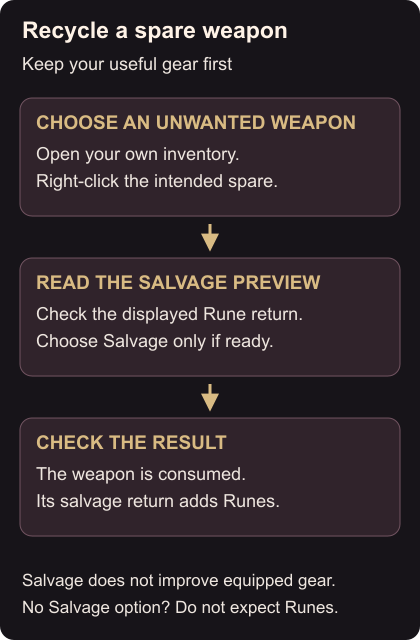
Open your inventory and right-click the unwanted weapon. Find Salvage in its menu and read the preview of the Runes it will return. Check the item’s name again before choosing the action. You can do this from your inventory without visiting the Blacksmith. Inventory salvage
Choose Salvage when you are ready to lose that weapon. Check that it has been removed and that its Rune return has been added before selecting another item. If the item has no Salvage option, do not choose Delete expecting the same reward.
Armor, wards, shields and rings can also be recycled into Runes. Equipment recycling
Salvaging does not automatically improve your equipped gear. Keep the Runes for an enhancement you want, such as upgrading warrior armor at the Blacksmith.