
Move the Cue Ball on the Break or After a Foul
On this page
Move the cue ball before aiming when Miniclip’s mobile 8 Ball Pool gives you a placement opportunity. The allowed area depends on whether you’re breaking or taking over after an opponent’s foul.
Check when placement is allowed
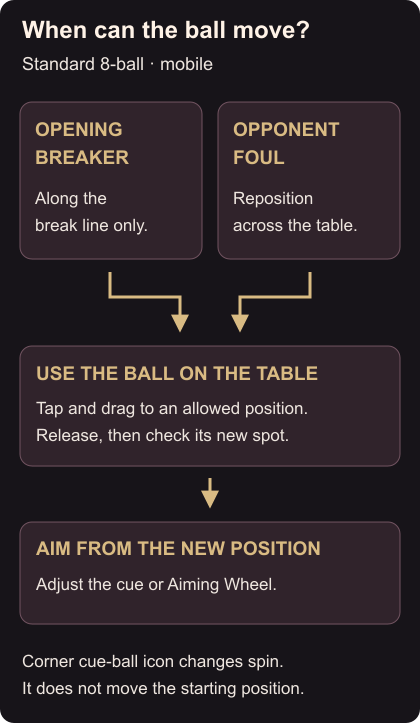
If you’re the opening breaker, you can move the cue ball along the break line only. After an opponent commits a foul, such as potting the cue ball, you can reposition it across the table. Moving the ball is not available before every ordinary shot. Placement rules
If you’re setting up the break, stay on the break line. Try a different starting point along it rather than expecting to place the ball farther up the table.
Drag the ball, then aim again
Tap the cue ball on the table, drag it to your chosen allowed position and release. Check the new position before adjusting your aim with the cue or Aiming Wheel. Re-aim from this spot instead of relying on the line you had before moving. Aiming controls
If you opened a red-dot strike-point control, you selected the corner cue-ball icon. That control changes spin; placement uses the actual ball on the table.
After positioning, use your preferred aim and power controls to line up the next shot.