
Find a Factory and Check Missing Ingredients
On this page
Check Township’s factory requirements before you grow stock for a product you can’t make yet. On mobile, the construction menu tells you what is missing.
Find the factory’s requirements
Tap the construction hat in the bottom-left corner, then choose Factories. Select the factory you want. A locked entry shows its required town level or another condition; an available entry shows whether you can place it or need more houses first.
Treat level and population as separate checks. Houses increase population, so gaining a level doesn’t replace that requirement. Population and farming
Once you meet the displayed requirements, place the factory in town and let construction finish. Check its entry again if you still can’t place it.
Read the recipe before gathering
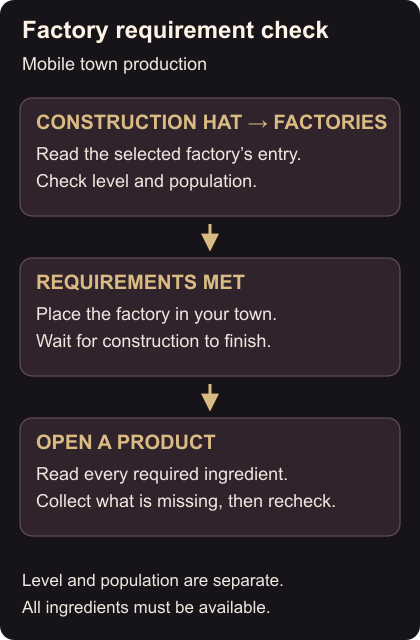
Open the completed factory and select the product you want. Its ingredient list shows what you need; production requires every ingredient to be available. Note anything missing, collect it, then reopen the recipe to check that you have enough. Factory requirements and recipes
If the missing ingredient is a crop, use the planting and harvesting controls. If you can’t collect it because storage is full, make room in the barn before gathering more.