
Change Projectile and HUD Colours in SAROS
On this page
Change SAROS’s individual colour settings on PS5 when incoming shots or HUD gauges are hard to distinguish. Start with the element you struggle to read so the other signals stay familiar.
Find the colour settings
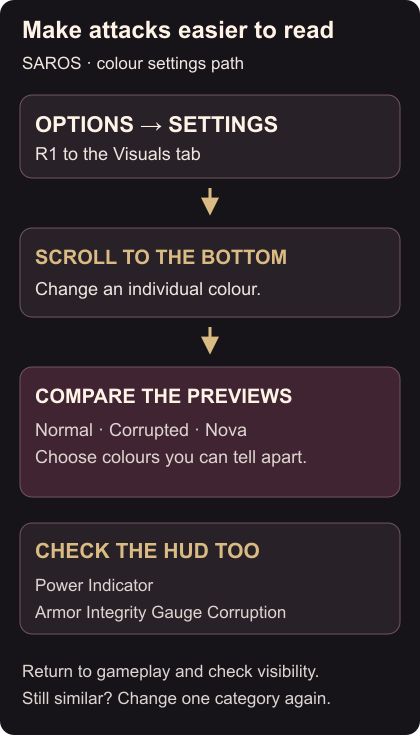
- Press Options and open Settings.
- Press R1 until you reach the Visuals tab.
- Scroll to the bottom of the page to find the individual colour settings.
- Select the element you want to change and choose a colour you can distinguish more easily. Colour settings controls
Compare the available previews before returning to combat. Choose colours that remain distinct on your own display, especially for the Normal, Corrupted and Nova projectile categories. Colour previews · Projectile colour accessibility
Check Power and corruption separately
The colour options also include the HUD Power Indicator and colour matching for Armor Integrity Gauge Corruption. Adjust those if the gauge is harder to read than the incoming shots. HUD colour options
Return to gameplay and check the element you changed. If two projectile types still look similar, revisit the same page and change one of them again. Keep a pair you can tell apart while moving, rather than picking colours only because they look different in isolation.
Blue and yellow in the shield and Power Weapon guide refer to the default colours. Use your chosen category colours when following those steps. If you also want to ease the combat challenge, the Carcosan Modifier guide covers Protections.