
Feed Your Buddy with Quick Treat
On this page
Quick Treat feeds your Pokémon GO buddy without placing it in AR. Use it when your buddy isn’t already on the Map. Quick Treat
Open your buddy and feed it
For your first buddy, tap your Trainer portrait in Map View, choose Buddy, then select a Pokémon. For an existing buddy, tap its portrait beside your Trainer portrait to open the Buddy Profile. Choose and open a buddy
Tap Play with Buddy → Quick Treat. Choose a Berry you already have and toss it to your buddy. A missed toss doesn’t consume the Berry, so try again. Petting your buddy or opening its present uses AR instead. Feeding controls
Check the meter and heart
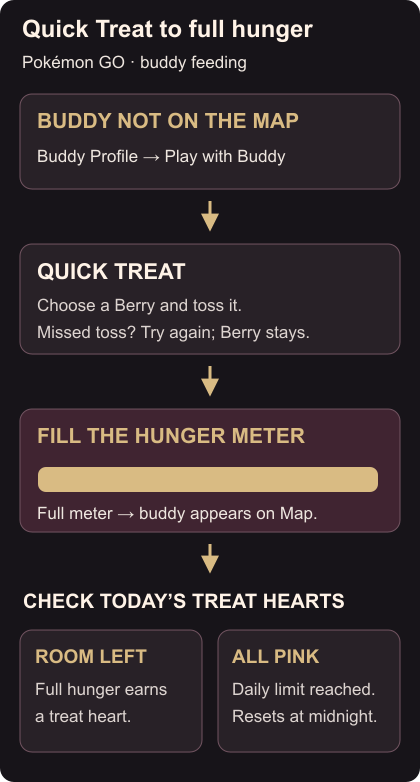
Feed until the hunger meter at the top is full, then return to Map View to see your buddy alongside you. Filling the meter earns a treat Affection heart while that activity still has hearts available. Hunger and activities
Check Today’s Activities on the Buddy Profile. Grey hearts are still available; pink hearts are already earned. If every treat heart is pink, that category has reached its daily limit until midnight local time. Feeding repeatedly won’t add another heart to a full category. Hunger decreases over time. Daily heart limits
If Quick Treat is missing, check whether your buddy is already on the Map. Use tags to group future buddies, and appraise and favourite a candidate you want to keep.