
Bring Pokémon HOME Visitors into Champions on Switch
On this page
Bring eligible Pokémon into Champions in two stages: send them from Pokémon HOME, then collect them inside Champions. This guide uses console Pokémon HOME on Nintendo Switch or Switch 2.
Use the same Nintendo Account for HOME and Champions, and check it before confirming a link. Linked accounts cannot be changed later. Account linking
Send in HOME, then collect in Champions
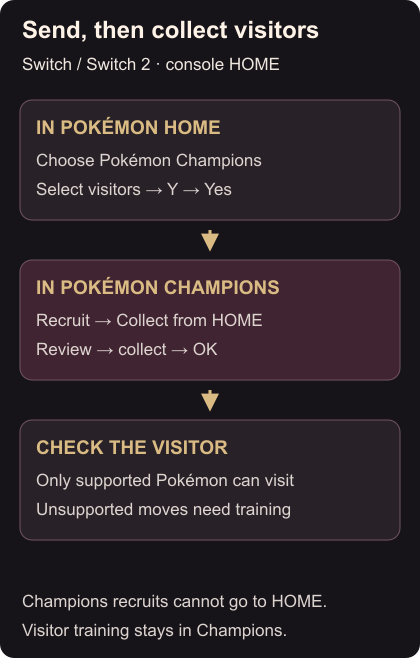
- Launch Pokémon HOME, press A, and select Pokémon Champions from its main menu. On your first connection, review the account link and select Yes.
- Select the Pokémon you want to visit, press Y, then confirm with Yes.
- Launch Pokémon Champions, press A, and choose Recruit → Collect from Pokémon HOME. Read any first-time explanation and close it with A.
- Review the incoming Pokémon and choose Collect from Pokémon HOME again. Accept the first-time confirmation with Yes if shown, then select OK to finish. Send and collect instructions
If a sent Pokémon seems absent, check this collection list before repeating the sending step.
Check eligibility and moves
Only Pokémon that appear in Champions can visit. A visitor with an unusable move needs that move changed through training. Pokémon recruited inside Champions cannot be sent to HOME. Visitor rules
Champions training stays separate from HOME. The same Pokémon keeps that training when it visits again, unless it returns in a different form, which loses the previous training. Training and return visits
With your visitors collected, set up a private battle. For the same Champions account on your phone, follow the Switch-save linking steps.