
Change an Alliance Vote and Find the Final Result
On this page
Correct a mistaken choice while your alliance poll is still open, then find the final result after it closes. These steps cover an existing Alliance Vote in Kingshot on Android and iOS.
Find and change the active vote
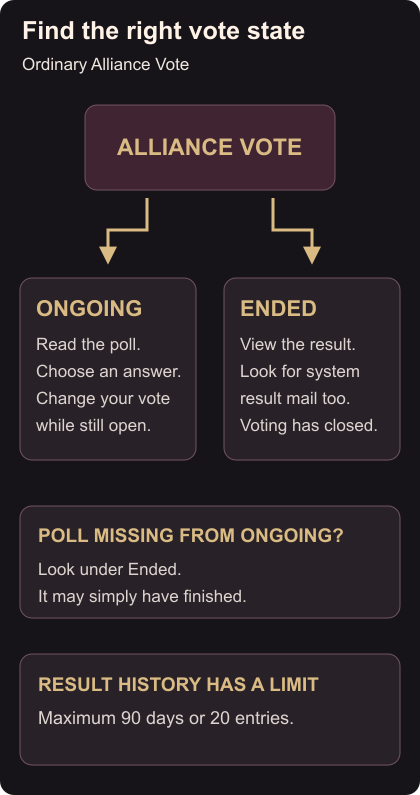
Open the Alliance Vote page and choose Ongoing. You can also find an active vote in Alliance chat. Open the poll you mean to answer, then read its question and options. Find an ongoing vote
Choose your intended answer. If you selected the wrong option, return to that same poll and change your choice while it is still ongoing. Check the selection shown before leaving the poll. Changing a vote
Find the closed poll
Once voting ends, use Ended on the Alliance Vote page. The result also arrives in system mail sent to alliance members. A poll missing from Ongoing may simply have finished. View results
Past results have a retention limit of 90 days or 20 entries. Save a brief note of any decision you need to remember beyond that history. Result retention
An alliance planning poll does not register you for a battle. Before a match, check Swordland Showdown entry; after an ordinary fight, use the Expedition loss guide to decide which troops need attention.