
Challenge a Friend on Chess.com
On this page
Start a game with someone you know through Play a Friend. Have their Chess.com username ready and agree whether you both want to play now or use Daily chess. Online friend games are free. App details
Send the challenge
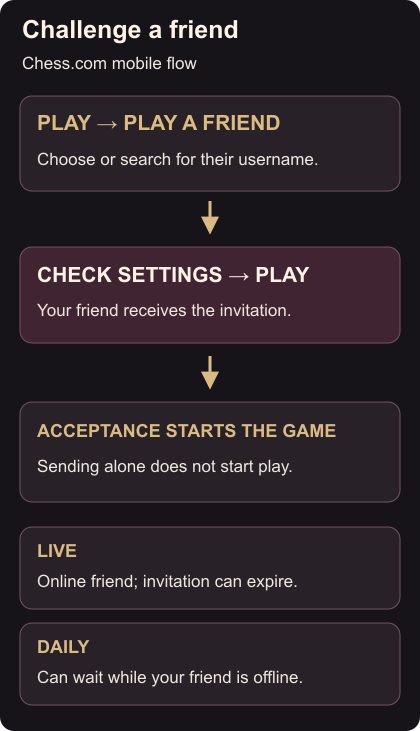
On the iOS or Android app:
- Tap Play on the home screen, then Play a Friend.
- Pick your friend or search for their username. Check the selected opponent before continuing.
- Choose the game settings, then tap Play to send the invitation.
On the website, choose Play a Friend in the homepage’s Popular Features, select the member, set up the game and click Send Challenge. You can also open their profile and click Challenge. Friend challenges
Waiting for the game
The mobile game starts when your friend accepts. For Live chess, they must be online; an unanswered challenge expires after a few minutes. A Daily challenge waits for acceptance even if they are offline or already playing. If a Live invitation expires, arrange a time when you are both available and send it again.
Sharing one device instead? Use Play in Person. To add a check before submitting moves, turn on Confirm Move.