
Use a Forward Air Dash and a Glide
On this page
A forward dash in Borderlands 4 starts in the air. Learn it on broad, clear ground with landing space ahead, then add a glide. These are the default PC bindings; use your own jump and dash bindings if you’ve changed them.
Get airborne before dashing forward
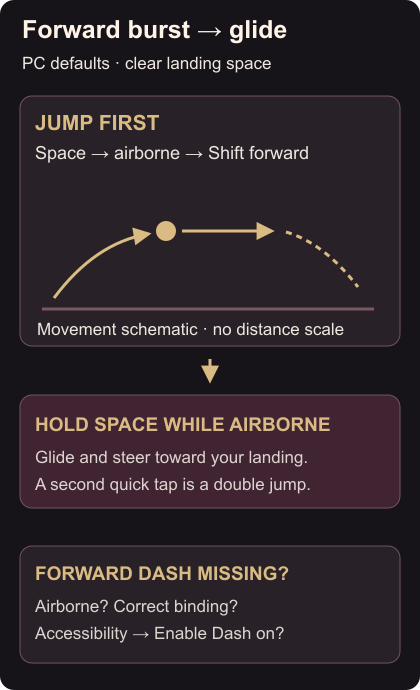
Hold forward, tap Space to jump, then press Shift once airborne. Ground dashes move sideways or backward; an air dash also lets you burst forward. Movement controls
Try the jump and dash without aiming for a gap first. Look for the short forward burst while you’re off the ground. Pressing forward and Shift on the ground won’t give you that forward air dash.
Hold jump for the glide
On another jump, hold Space while airborne to glide. Tapping jump twice performs a double jump; holding it is the glide input. You can combine gliding with an air dash. Jump and glide controls
Once each input is familiar, jump, hold for the glide and use a forward air dash while steering toward a visible landing area. Keep enough clear ground ahead to finish the movement. Judge the result by whether the burst and glide both happen, rather than trying to cover a large gap immediately.
If an input doesn’t work
For a missing forward dash, check that you’re airborne when you press it. Then check your binding and Enable Dash in the Accessibility menu’s Movement options. Keyboard and controller controls can be remapped. Dash settings
For a missing glide, hold the jump input instead of giving it another quick tap.
When you reach a firing position, match the enemy’s current health bar. The Steam Photo Mode guide explains how to keep a screenshot of a moment you like.