
Import a Shared Blueprint into Your Library
On this page
Save another player’s blueprint so you can open its layout from your own Shared Blueprints list. These steps cover the PC version of Arknights: Endfield and require a valid blueprint share code.
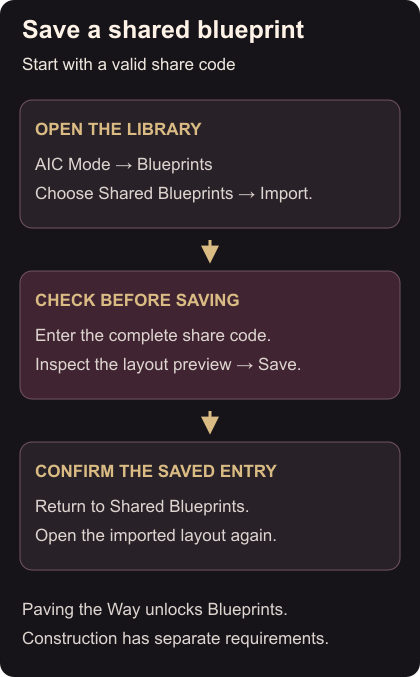
Import and save the layout
- In your AIC area, enter AIC Mode and open Blueprints. If the menu is locked, progress through the main story’s Paving the Way mission until the feature opens. Blueprint menu, unlock requirement
- Choose Shared Blueprints, then Import.
- Enter the complete code supplied by the other player.
- Inspect the preview. Make sure it is the layout you intended to save, then select Save. Import steps
Return to Shared Blueprints and select the saved entry. Being able to reopen its preview is your check that the import is complete.
If the code or layout causes trouble
If the game rejects the code, compare it with the sender’s original. Copy the complete code again and check for missing characters. Ask the sender to confirm the code if it still fails.
Saving a blueprint does not unlock its research or supply its facilities. Check those requirements before trying to construct the layout. Construction requirements
For a supply layout, you can prepare your next outing by equipping and stocking healing Tacticals. The SP recovery guide explains the basic attack and Execution actions that feed your battle skills.