
Reset Stats and Legacy Points at a Shrine
On this page
Use an Orb of Chaos at a shrine to redistribute your Stats and Legacy Points in Alaloth on PC. You can still change these allocations after training with a Grandmaster, but that does not reopen your profession’s skill choices.
Bring an Orb of Chaos
Buy the orb from an enchanter if you need one. Orb of Chaos sales are restricted to enchanters, so a general merchant is the wrong shop to check. Orb of Chaos vendors
Before using it, note the Stats, traits and proficiencies you want to change. This guide starts with an orb in your inventory and a shrine you can already reach.
Offer the orb at the altar
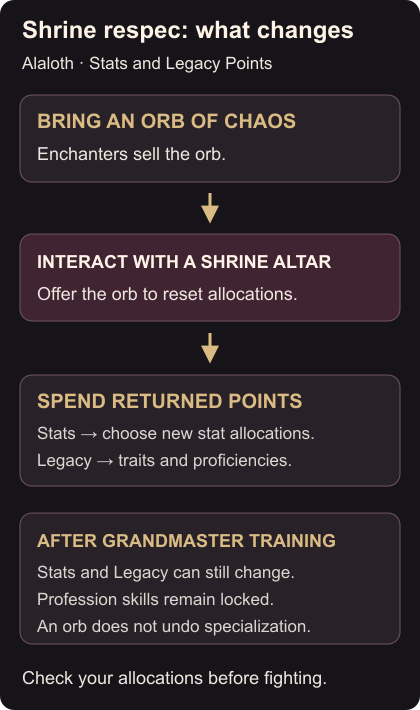
Interact with the shrine altar and use its Orb of Chaos offering to reset your allocations. Shrine offering
Reopen your character allocations afterward. Assign the returned Stat points, then spend Legacy Points on the traits and proficiencies you want. Check the finished allocations before returning to a Fighting Area; the reset is only useful once you have rebuilt the character.
Know what Grandmaster training locks
Grandmaster specialization replaces your skills with those of the chosen profession and prevents further skill respec. Stats and Legacy Points remain adjustable through the shrine. If your stats reset but your profession skills stay fixed, that is the specialization rule working as intended. Grandmaster respec rules
Before your next fight, repair your equipped gear. For map controls and placing your own navigation point, use the Atlas and custom-marker guide.